macOS
Droid Buddy
Drag files between your phone and your Mac
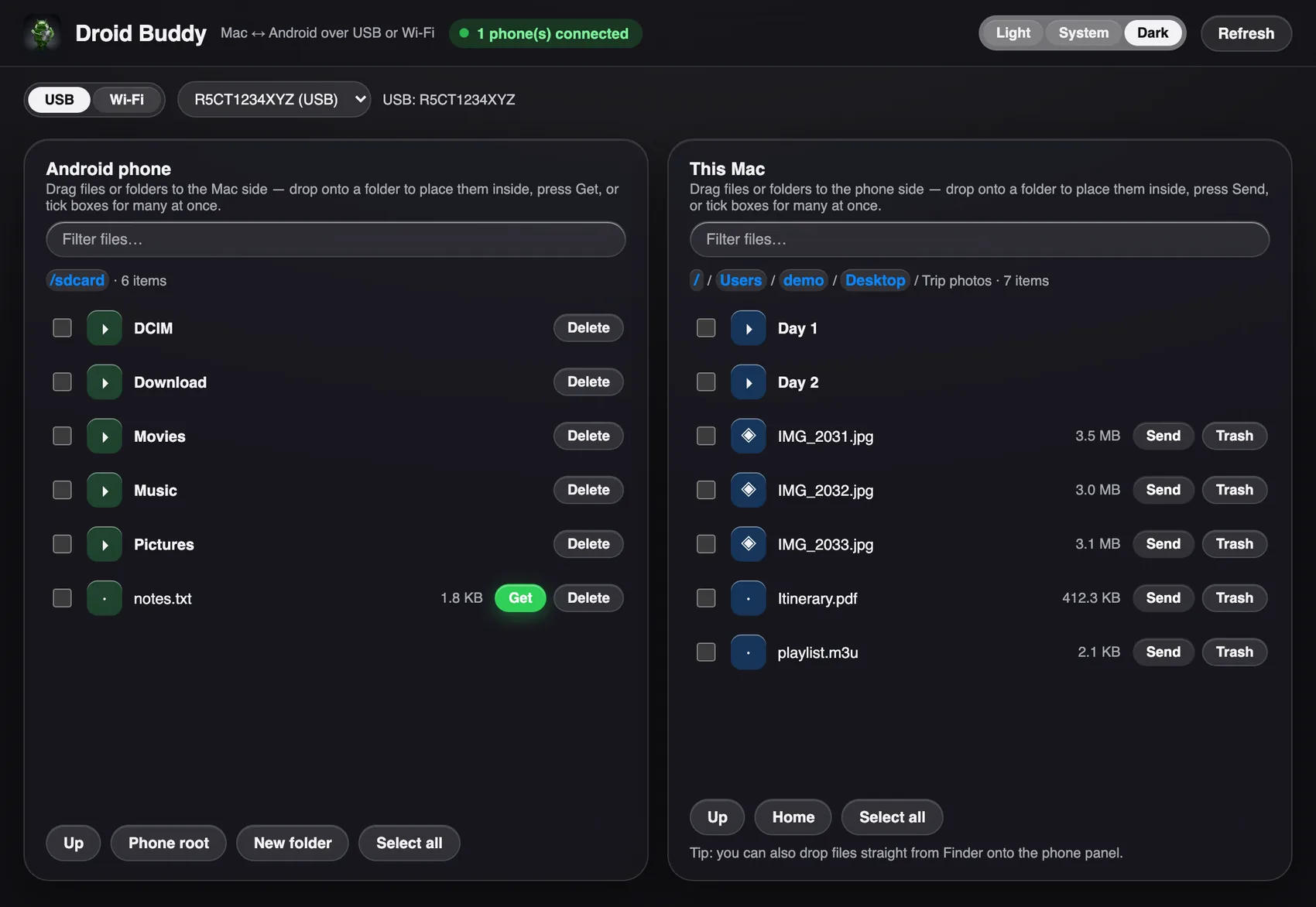
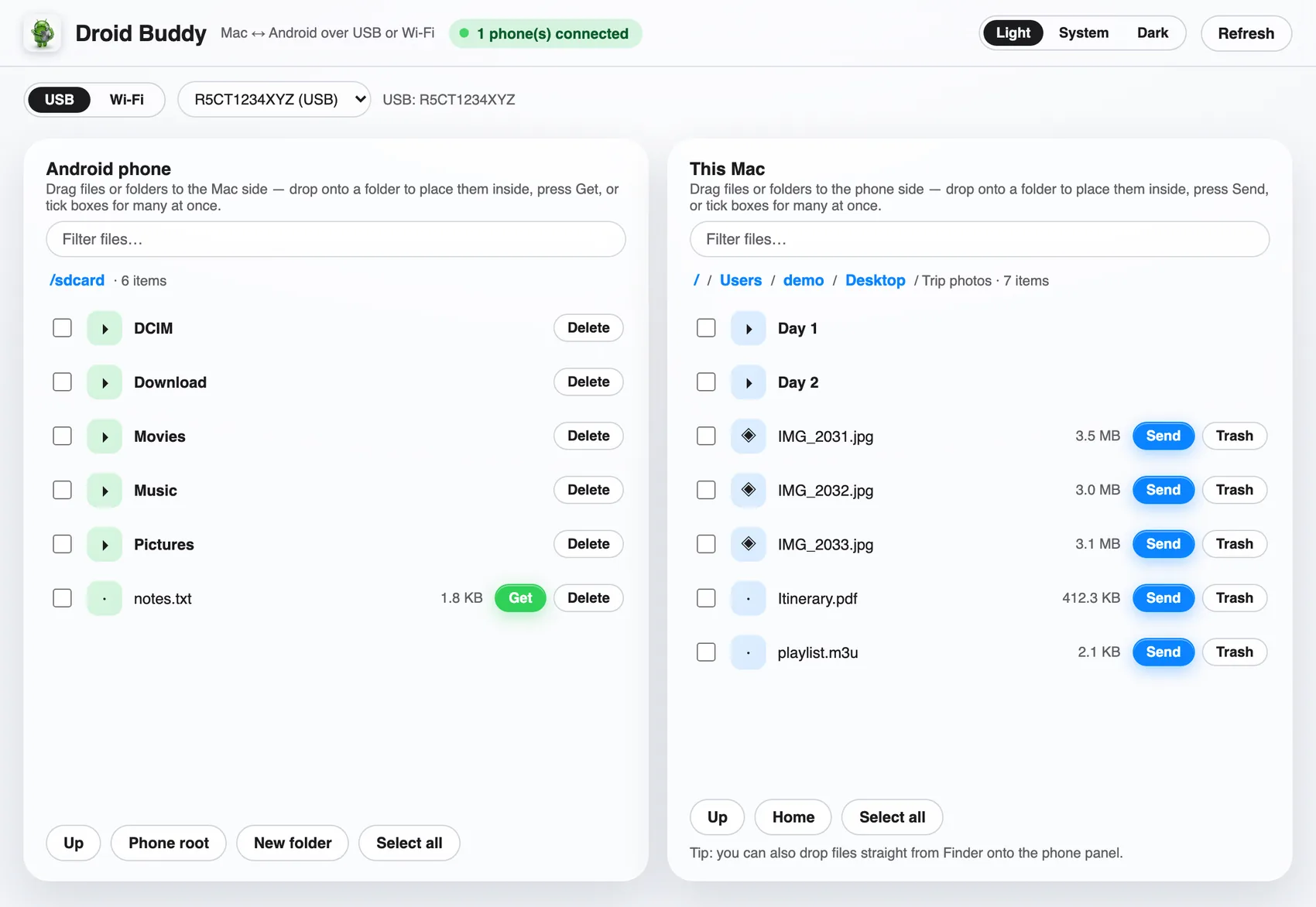
Droid Buddy is a simple file manager for Android phones on a Mac. Your phone is on the left, your Mac is on the right, and you drag files between them. It works over a USB cable or over Wi-Fi.
Already bought it? Download it again from your Polar page. One licence works on all your own Macs.
More screens
What it is for
- Anyone who uses an Android phone with a Mac.
- People who want to move photos, videos and files without an account or a cloud.
- Anyone who finds the usual phone transfer tools clumsy.
The details
- Platform
- macOS
- Latest version
- 1.9 (26 October 2026)
- Phone
- Android with USB debugging turned on
- Price
- $7.99 one-time
- Licence
- Buy once, own it forever. 12 months of updates included. Works on up to 4 of your Macs.
What it does
- Two panesBrowse the phone and the Mac side by side.
- Drag and dropDrop onto a folder to place files inside it, or use the Get and Send buttons.
- USB or Wi-FiCable by default. Pair over Wi-Fi on Android 11 or later for no cable.
- Many files at onceTick boxes, select all, or drag straight from Finder.
- Handy extrasMake new folders, filter files, and move deleted Mac files to the Trash.
- Nothing installed on the phoneYou only need to turn on USB debugging.
- PrivateNo browser, no account and no files leave your Mac.
- Light and darkFollows your Mac, or pick Light or Dark.
Questions
Which phones work with Droid Buddy?
Any Android phone, such as Samsung, Pixel or OnePlus, with USB debugging turned on. Wi-Fi needs Android 11 or later. iPhones are not supported.
Which Macs does it run on?
macOS 12 (Monterey) or later, on Apple Silicon and Intel Macs.
Do I need to install anything on my phone?
No. You only turn on USB debugging once in the phone's Developer options. The help page shows how, step by step.
Is turning on USB debugging safe?
Your phone asks before it trusts a computer, and only Macs you allow can connect. Droid Buddy uses that connection only to list, copy, create and delete the files you choose. You can turn USB debugging off again whenever you like.
Can I use it without a cable?
Yes, on Android 11 or later. Put the phone and Mac on the same Wi-Fi, turn on Wireless debugging and type the pairing code into Droid Buddy once. After that it reconnects by itself.
Can it move big files?
Yes. A progress bar shows how far along each copy is, and files of several gigabytes (for example a 6 GB video) copy fine.
Will it overwrite my files?
No. If a file with the same name is already there, the copy is saved as “name 2”.
Does Droid Buddy upload my files or collect data?
No. Your files only move between your Mac and your phone. There is no account, no tracking and no ads. The app only goes online to check your licence key (when you activate it, then about once a week) and, if you leave it on, to check for updates. See the privacy policy.
Can I use it on more than one Mac?
Yes. One key works on up to 4 of your Macs at a time. If you activate it on a fifth, it's removed automatically from the Mac you activated longest ago, and you can move it back whenever you like by entering the key there. To free a Mac's spot yourself, use Remove key in the Info panel. Your licence is personal, so please don't share it with other people.
Do I need a licence key to use it?
Yes. The first time you open Droid Buddy, paste the licence key from your receipt email. It's checked online once and remembered, so Droid Buddy then works offline. Lost it? It's on your Polar page.
What do I get when I buy it?
Droid Buddy is yours forever, plus 12 months of free updates counted from the day you buy. After that, nothing stops working: you keep the newest version released in your year, forever. Renewing is completely optional. Only if you want later versions, another year of updates costs 50% of the price (about $4). You're never charged automatically.
How do I update to a new version?
Click Info in Droid Buddy (version 1.6 and later) or use Check for updates with your licence key. If the update is free for you, download it from your Polar page and drag it into Applications to replace the old copy.
I lost my download or licence key.
Open your receipt email from Polar, or go to your Polar page and sign in with the email you bought with. You can download Droid Buddy and see your key there.
Can I get a refund?
Yes, within 14 days, no questions asked. Email hello@heionlabs.com with the address you bought with. See the refund policy.