macOSLinux
SpeakEasy
Hold a key, talk, let go
SpeakEasy is voice dictation that stays out of the way. Hold a key, say what you want to write, let go, and clean, polished text is typed into whichever app you are using.
More screens
What it is for
- People who think faster than they type.
- Anyone writing emails, chat messages, notes or code in lots of different apps.
- People who want dictation that can work fully offline.
The details
- Platforms
- macOS and Linux
- Speech
- On-device offline engine, or Gemini with your own key
- Price
- To be announced
- Licence
- Buy once, own it forever. 12 months of updates included.
What it does
- Hold to talkHold fn (or a shortcut you choose), speak, and release. The text lands in the app you were in.
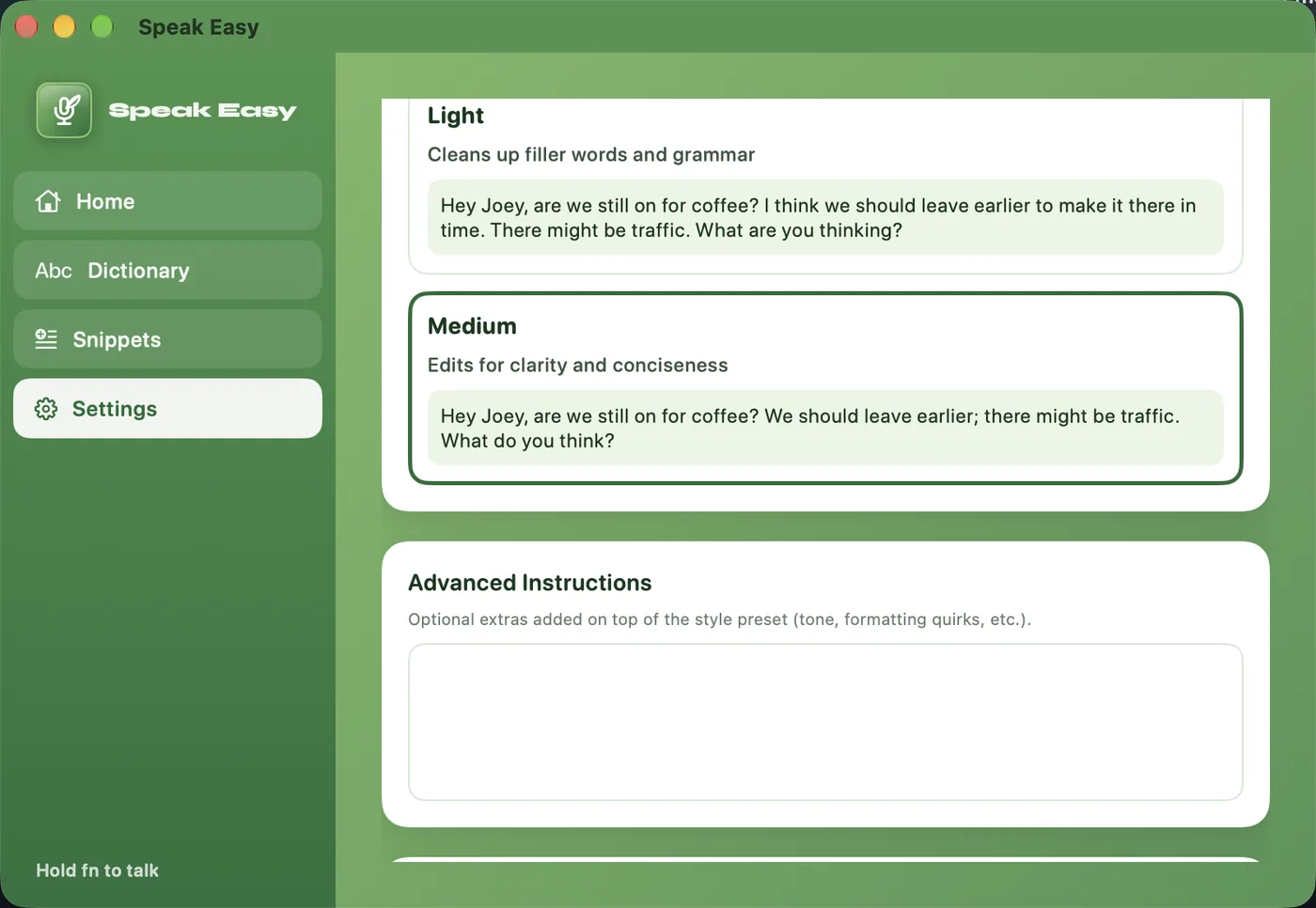
- Polished, not rawOptional clean-up removes filler words and tightens wording. You choose how much: None, Light or Medium.
- Writing stylesAuto, Email, Chat, Notes or Code, so Slack stays short and Mail stays email-ready.
- Works offlineUse on-device speech recognition with no API key and no network. A Gemini key is optional.
- Personal dictionaryTeach it names and terms once and it spells them your way.
- SnippetsSay a trigger phrase and it expands to saved text.
- AI commandSelect some text, hold a second shortcut and say what to change.
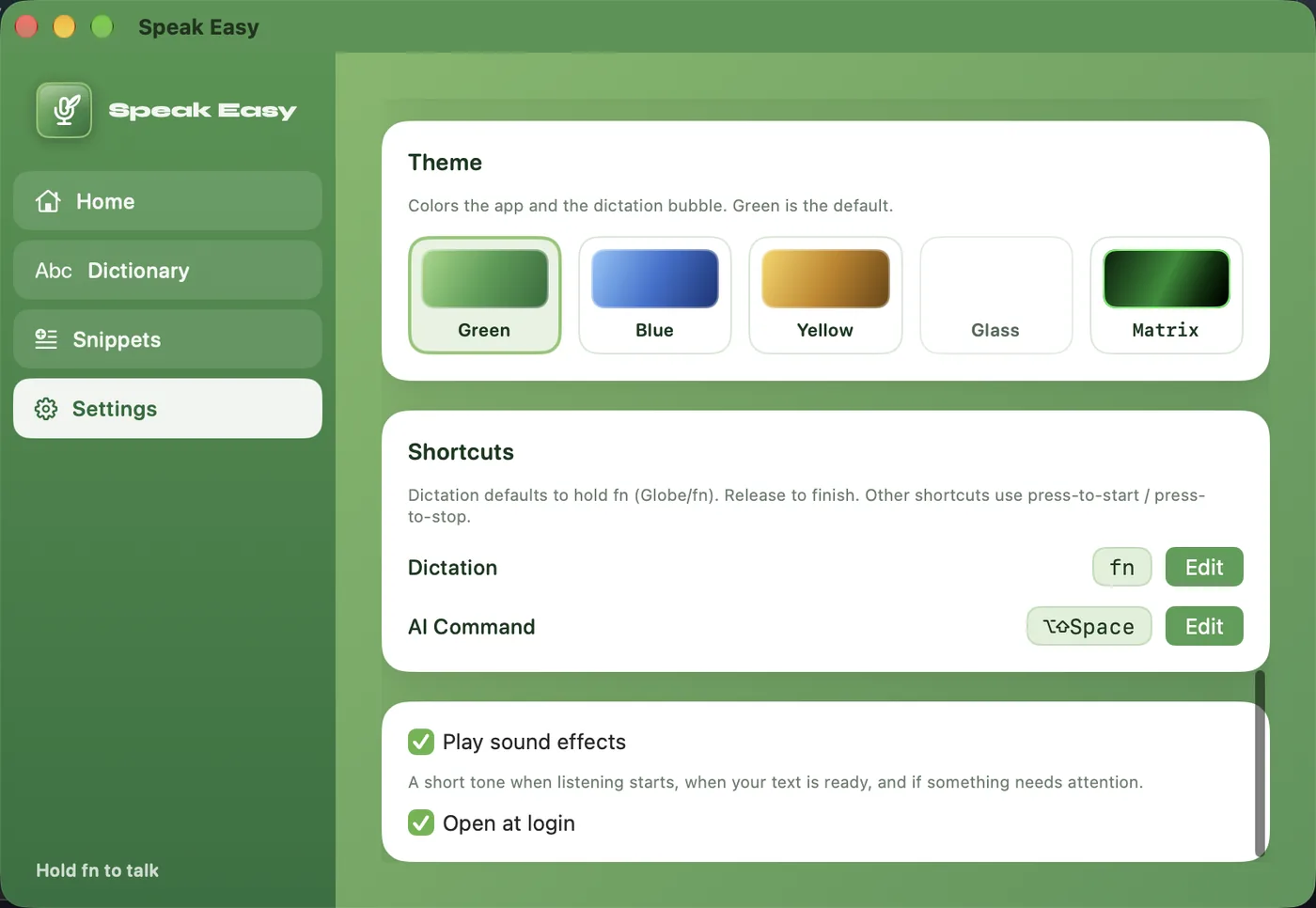
- Five themesGreen, Blue, Yellow, Glass and Matrix, for the app and the dictation bubble.
Questions
Which computers does it run on?
macOS and Linux.
Does it work offline?
Yes. SpeakEasy can turn speech into text on your computer with no internet and no API key (the offline speech model downloads once, the first time you use it). If you add your own Gemini key, it uses Gemini for the most polished text, and then your recording is sent to Google to transcribe.
What permissions does it ask for?
On a Mac: the microphone, so it can hear you, and Accessibility, so it can type the text into the app you're using. macOS may also ask for Speech Recognition.
Which apps can I dictate into?
Any app where you can type: Mail, Slack, Notes, your browser, a code editor and so on.
Can I change the key I hold?
Yes. Hold fn by default, or pick your own shortcut.
Does it learn my names and words?
Teach it once in the personal dictionary and it spells them your way. Snippets expand a spoken trigger phrase into saved text.
Is there a subscription?
No. If you use Gemini, Google bills its usage to your own key; SpeakEasy itself has no monthly fee.
When can I buy it, and for how much?
The price isn't set yet. hello@heionlabs.com and I'll tell you when it's out.
What do I get when I buy it?
Buy it once and it's yours forever, with 12 months of free updates from the day you buy. After that nothing stops working. Renewing is completely optional: another year of updates costs 50% of the price, and you're never charged automatically.